Set it up
Envoyer deploys PHP and Laravel applications. A deployment hook can start a QA.tech test plan after each deploy.1
Get the project short ID
Copy
proj_… from the project URL or Settings (for example proj_abc123). See Understanding Different IDs.2
Get the test plan short ID
Open the plan under Test
Plans and copy
pln_… from
the URL (for example pln_abc123). The hook script from Settings →
Integrations targets a plan. See Find the test plan short
ID.3
Navigate to Deployment Hooks
Inside Envoyer, find your project and navigate to the section Deployment Hooks, and press “Add Hook”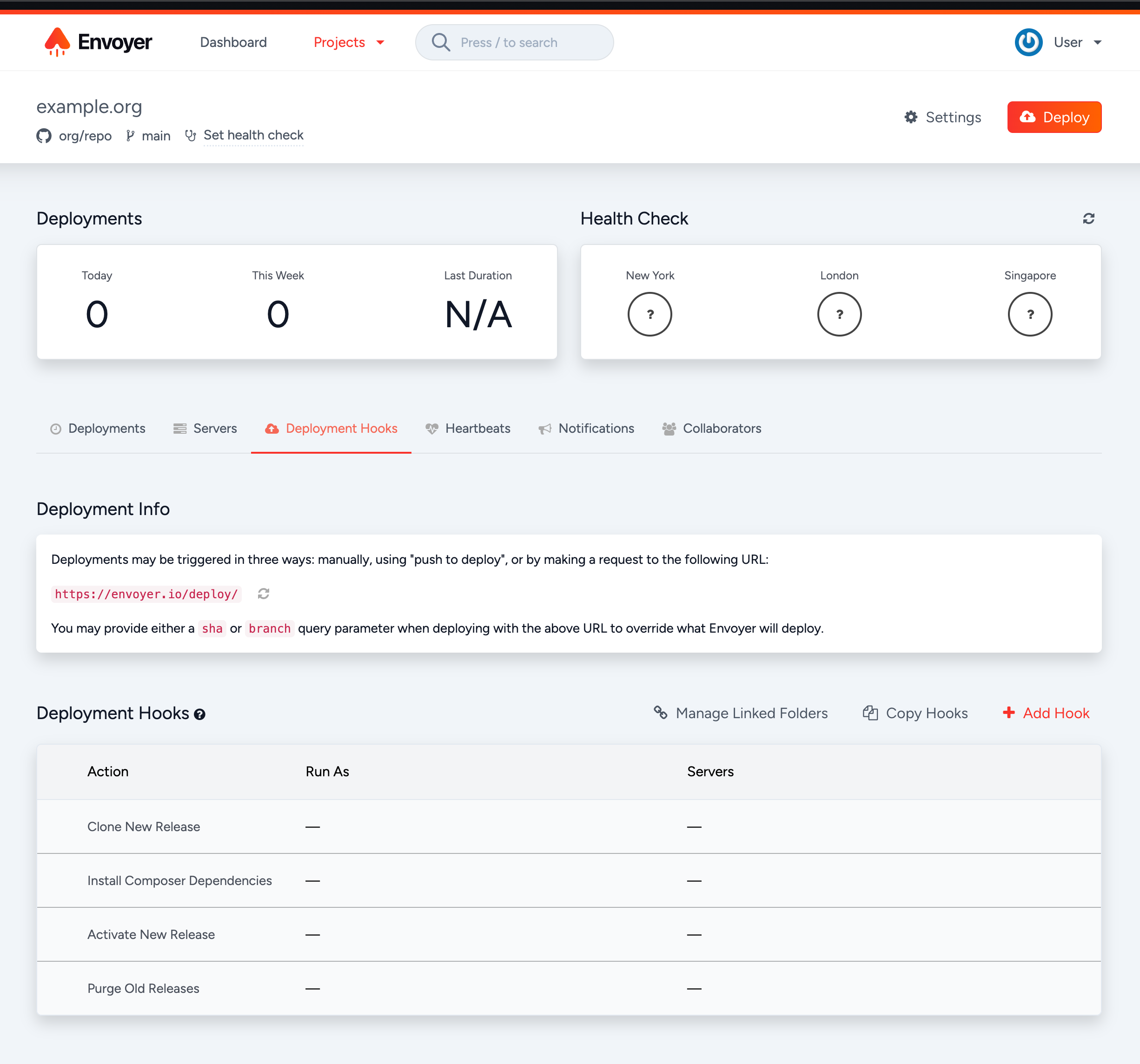
4
Add the hook
Fill in the modal with the following values:Name: 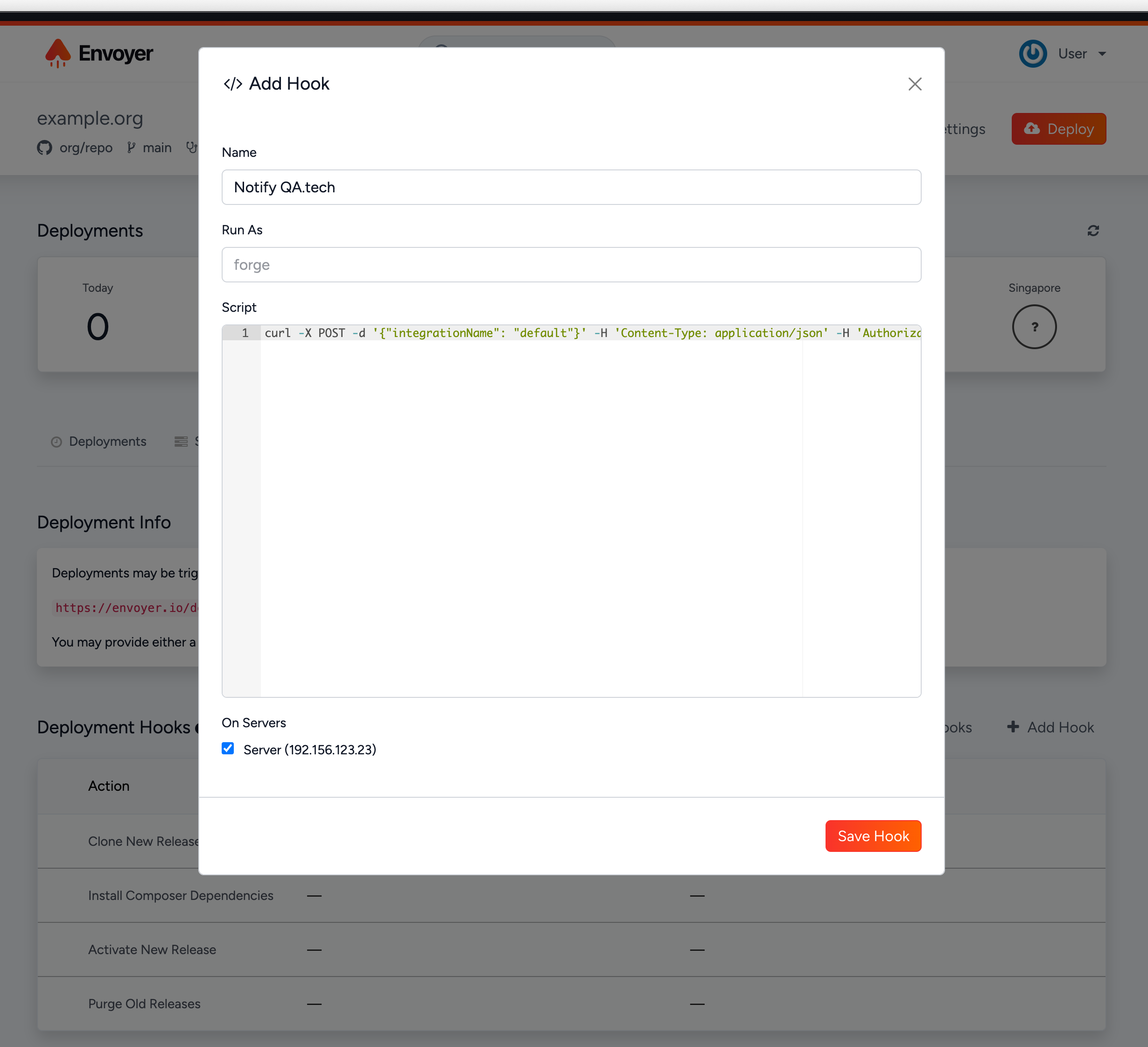
Trigger QA.tech TestsScript: copy the script from Settings → Integrations in QA.tech.5
Verify that the hook was added
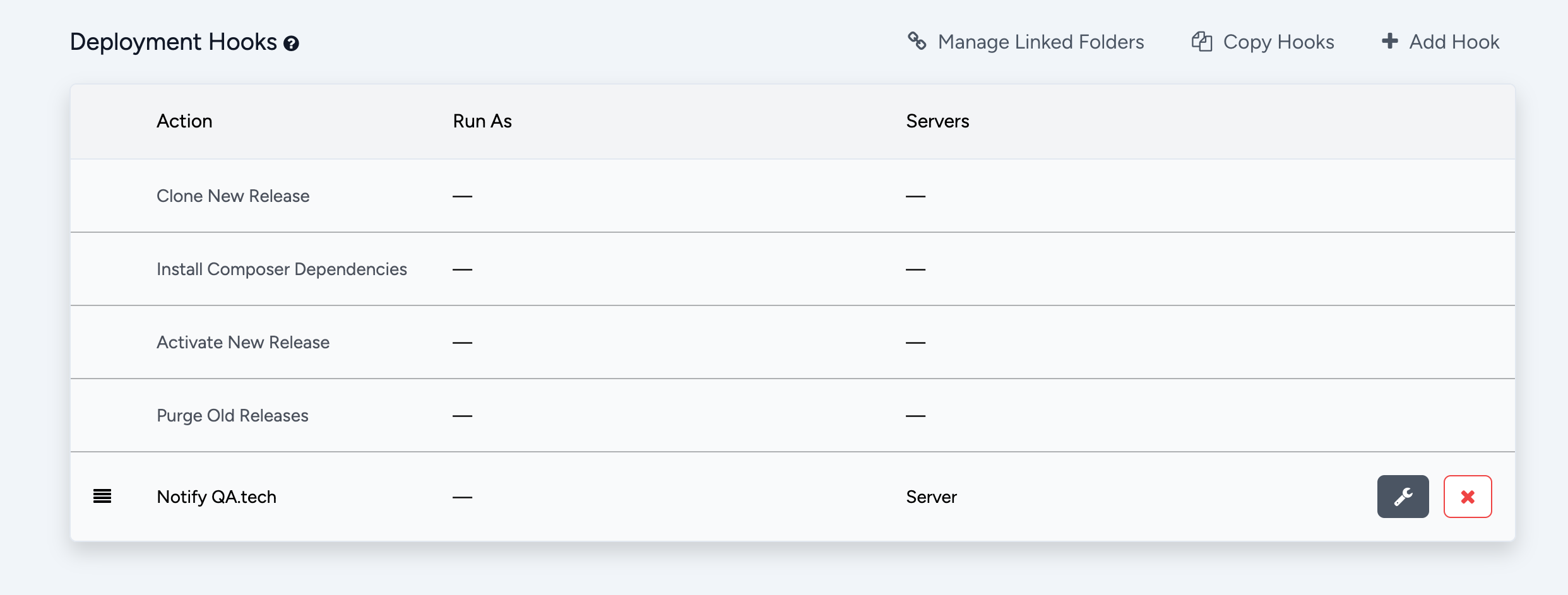
It should show up in the list of hooks